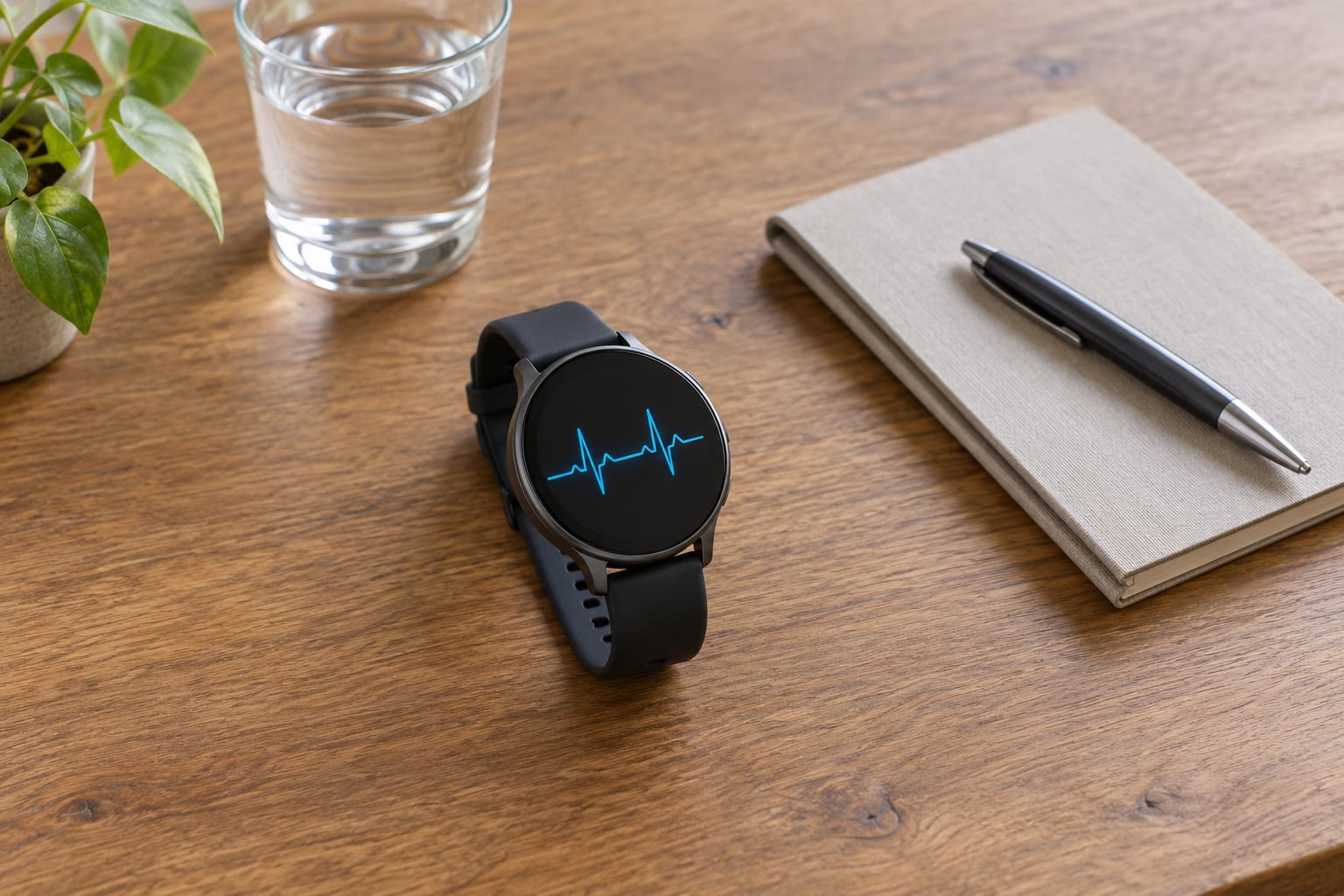
Reading an Apple Watch ECG result takes about a minute: open the app, read the classification at the top of the screen, then confirm the heart rate, the time of the recording and whether the strip was clean enough to trust. This guide walks through how to read ECG results on Apple Watch, what each label means, and which results are worth a phone call to your doctor.
The important part is knowing that the watch classifies a rhythm, it doesn’t diagnose one. An AFib result is a flag to get checked, and a normal result is a good thirty-second snapshot rather than proof that everything is fine.
Table of Contents
- 1What You Need
- 2Step-by-Step
- 3How to Read ECG Results on Apple Watch
- 4Check Whether the ECG Was Recorded Properly
- 5Review the Heart Rate and Rhythm Details
- 6Save or Share the Result Safely
- 7Common Mistakes
- 8Frequently Asked Questions
- 9Can an Apple Watch ECG diagnose atrial fibrillation?
- 10What does an inconclusive Apple Watch ECG result mean?
- 11Does a normal Apple Watch ECG rule out a heart problem?
- 12How should I take an Apple Watch ECG for the most accurate result?
- 13Should I retake an Apple Watch ECG if the result is inconclusive?
- 14When should I seek urgent medical help instead of relying on my Apple Watch?
- 15What to Do First
What You Need
You need an Apple Watch Series 4 or later, or any Apple Watch Ultra. The ECG app does not exist on Apple Watch SE, so if you have an SE the app will simply not be in your app list. Apple also restricts the app to people aged 22 and over, and availability differs by country or region, so a friend in another country may not have it at all.
Your iPhone needs to be nearby with the Health app, iOS and watchOS reasonably current. Recordings land in Health on the phone, not on the watch, which trips up anyone who records and then looks for the result on their wrist.
For the reading itself: a snug band, dry skin on both your wrist and fingertip, and a quiet minute where you are not about to move. I have had far more usable strips on a sofa with my arm on a table than standing up holding a coffee.
Step-by-Step
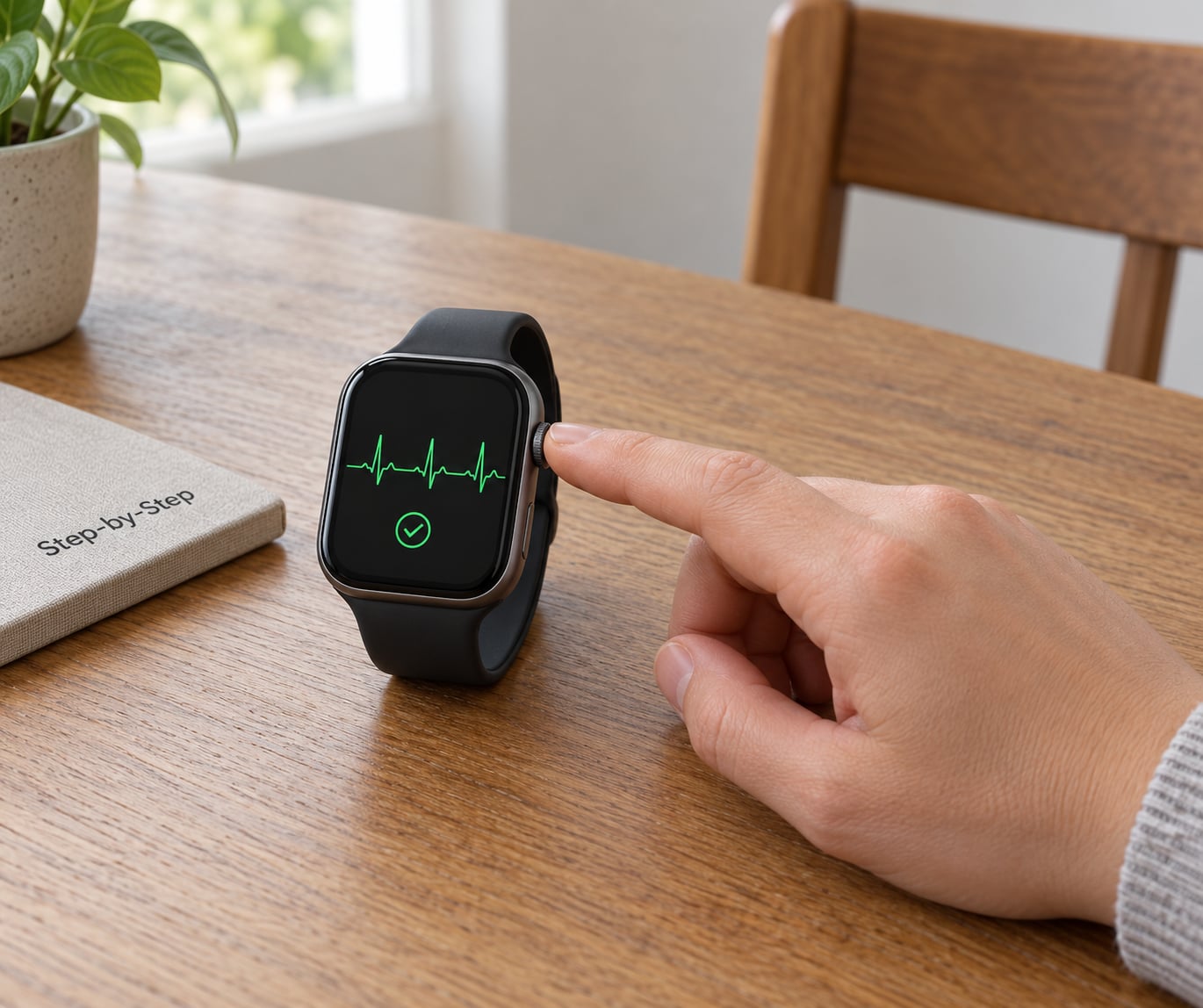
Here is the whole workflow, then the parts where people get stuck.
- Open the ECG app on the watch. Find it on the watch face or in the app grid. It is the icon with a heart and a rhythm line through it.
- Sit down and settle for a minute. Skip it right after exercise, a coffee, or a hot shower. Rest your forearm on a table or your thigh.
- Start the recording, then touch the Digital Crown. Put a fingertip from your opposite hand on the crown and hold it there.
- Stay still for the full 30 seconds. Talking, walking or shifting your arm is the single most common reason a strip comes back unusable.
- Read the result, then save it. Apple shows the classification and heart rate on the watch. Tap Save so the recording goes to Health on your iPhone.
- Review it later on the phone. The waveform and the full detail view live in Health, not on the watch.
How to Read ECG Results on Apple Watch
Start with the big word at the top of the result. That word is the classification, and everything else on the screen supports it.
| Result | What it means | What to do next |
|---|---|---|
| Sinus Rhythm | The rhythm on this strip was regular and within your heart-rate range for the recording. | Nothing urgent. Keep the recording as a baseline and retake if you feel something. |
| Atrial Fibrillation (AFib) | The rhythm looked irregular in a way the algorithm reads as a common heart rhythm condition. | Contact a clinician to confirm. Repeat readings matter more than one. |
| Low or High Heart Rate | The rhythm was regular but the heart rate fell outside the range the app will classify. | Rest and retake. If it keeps happening at rest, mention it to a doctor. |
| Inconclusive | The app could not read the strip well enough to classify the rhythm. | Nothing about your health. Fix the contact and retake. |
| Poor Recording | The signal quality was too low to trust. This label only appears with ECG app version 2. | Dry everything, tighten the band, rest your arm and retake. |
Atrial fibrillation deserves a little more context. The watch is looking at the electrical signal travelling from your heart, down one arm, across your chest and up to your fingertip, which makes it a single-lead recording similar to Lead I on a hospital ECG. AFib shows up on that strip as beats that arrive with no clear rhythm and no consistent P wave before each QRS complex. The Apple Watch does not label P waves for you, so most people only ever read the classification word.
Check Whether the ECG Was Recorded Properly
A completed recording and a usable recording are not always the same thing, so check the visual cues before you trust the label. The trace should be a smooth, evenly spaced waveform without thick fuzzy bands or flat dead sections. Flat sections usually mean your finger lost contact with the crown for a moment, and fuzzy bands mean interference or movement.
Dry skin is the most common failure. Apple specifically calls out dry or overly moist skin as causes, and the same thing turns up in forum threads about poor recordings right after a swim or a shower. If your fingers are dry, run them under a little water first. If your wrist is damp, dry it properly and wait a few minutes.
Watch orientation matters too. In the Watch app on your phone, go to My Watch, then General, then Watch Orientation, and set it to the setting that matches how you wear the watch. The wrong orientation is a quiet cause of strips that fail when your other arm is doing something.
Review the Heart Rate and Rhythm Details
The heart rate under the classification is an average across the 30 seconds, not your resting rate and not a live reading. Compare it with how you felt. A rate of 78 while you felt your heart pounding is a mismatch worth mentioning, even when the classification says sinus rhythm.
This is where the commonest confusion comes from: sinus rhythm, but you clearly felt a flutter, a skipped beat or a racing episode. The watch records those beats, but the app does not label premature ventricular contractions, premature atrial contractions or supraventricular tachycardia. It only reports rhythm classes it is cleared to report, so a strip can look unremarkable while you felt something real.
One more reason old articles can mislead you. With ECG app version 1, atrial fibrillation was detected only between 50 and 120 beats per minute, and faster rates came back inconclusive. Version 2 widened that to 50 and 150 beats per minute and added the poor recording result. If you are reading guidance that says 100 to 120 will fail, it was written for version 1.
| Detail | ECG app version 1 | ECG app version 2 |
|---|---|---|
| AFib detection range | 50 to 120 BPM | 50 to 150 BPM |
| Poor recording result | Not available | Available |
| Typical use today | Most watches in service | Watches set up or updated recently |
Accuracy comes up a lot here. In Apple’s clinical validation study of roughly 600 participants, the app classified AFib with about 98.3 percent sensitivity and 99.6 percent specificity. Those numbers came from controlled conditions with people sitting still, and Apple states that real-world use produces more inconclusive strips than the study did.
Save or Share the Result Safely
To find a recording, open Health on your iPhone, tap Browse in the bottom right, tap Heart, then tap Electrocardiograms (ECG). Each entry opens the waveform with its classification, heart rate, date and time.
From that view you can export a PDF. Use the share sheet to send it to yourself, to a family member, or to a clinician’s office. What lands in the file is more than the trace: it includes your heart rate, the date and time, the classification, and any symptoms you tagged with the Add Symptoms feature while recording. That last part matters more than people expect, because a strip that is meaningless without context becomes useful the moment it is labelled with what you were feeling at the time.
If your clinician brushes it off, that happens often enough that people ask about it constantly. The recording is evidence, not a diagnosis, and the classification is a screening flag. What a clinician actually reads is the raw strip, so bring the PDF, describe your symptoms in order, and ask whether ambulatory monitoring or a 12-lead ECG would be more useful than repeating what you already have.
Common Mistakes
- Recording too soon after exercise or caffeine. Wait about five minutes sitting still. Your heart rate is still elevated, and you may land in the high heart rate or inconclusive bucket.
- Moving during the 30 seconds. Rest your arm on a table, breathe normally and stay quiet.
- Using a loose band or a dry finger. Tighten the band until it stays put, and touch slightly damp fingers to the crown.
- Treating inconclusive as a result. It is a recording failure. It tells you nothing about your heart, and treating it as a result is what drives the anxiety loop of re-recording all night.
- Believing one normal strip settles the question. AFib can be paroxysmal, meaning it comes and goes. A normal reading while you feel fine does not rule it out.
- Recording at the wrong moment. Take a reading while you are actually feeling the flutter if you can. That strip is worth ten taken while nothing is happening.
- Expecting the watch to detect an emergency. It cannot detect a heart attack, blood clots, stroke, high blood pressure or heart failure.
If you have chest pain or pressure, shortness of breath, fainting, pain spreading to your arm or jaw, or a racing heartbeat with dizziness, call emergency services rather than taking another reading. A normal result will not rule out any of those.
Frequently Asked Questions
Can an Apple Watch ECG diagnose atrial fibrillation?
No. The ECG app classifies a rhythm, it does not diagnose one. An atrial fibrillation result is a screening flag that means the rhythm in that 30-second window looked irregular, and it needs a clinician to confirm. Watch owners regularly see one AFib reading and no symptoms at all, so bring the recording to a doctor rather than deciding from the watch alone.
What does an inconclusive Apple Watch ECG result mean?
It means the app could not read the strip well enough to classify the rhythm. That is a recording problem, not a heart result, and it says nothing about whether your heart is healthy. Usually it comes down to a dry or slippery finger, a loose band, or movement during the 30 seconds. Dry your wrist, tighten the band, rest your arm and retake it.
Does a normal Apple Watch ECG rule out a heart problem?
No. Atrial fibrillation can come and go, so a normal strip taken while you feel fine does not rule it out. The watch also records only 30 seconds at a time and cannot see a heart attack, a blood clot, stroke, or problems with the heart’s pumping strength. If you have symptoms, keep taking recordings while they happen and show them to a doctor.
How should I take an Apple Watch ECG for the most accurate result?
Sit still for a few minutes first, away from caffeine and exercise. Rest your forearm on a table, tighten the band until it sits snug, and make sure your wrist and fingertip are dry. Start the recording, place a finger from your opposite hand on the Digital Crown, and hold it there without moving or talking for the full 30 seconds.
Should I retake an Apple Watch ECG if the result is inconclusive?
Usually yes, once. Dry your wrist and hands, tighten the band, rest your arm on a table and retake it. If you get inconclusive or poor recording results three or four times in a row while sitting still, mention it to your doctor rather than retrying all evening. People whose wrists stay dry or damp often get a cleaner classification from a handheld single-lead ECG device.
When should I seek urgent medical help instead of relying on my Apple Watch?
Call emergency services right away for chest pain or pressure, shortness of breath, fainting or near-fainting, pain spreading to your arm, jaw or neck, or a racing heartbeat with dizziness. The ECG app cannot detect a heart attack, and a normal result will not rule one out. Any of those symptoms needs an ambulance, not another recording on your wrist.
What to Do First
Read the classification word, then check the heart rate and the time on the strip. If it says inconclusive or poor recording, fix the contact and take it again rather than worrying about what it means. If it says atrial fibrillation, or if you have symptoms that are not settling, contact a healthcare professional and bring the exported PDF.
And if you want to know how to read ECG results on Apple Watch beyond the label, the raw waveform in Health is where the detail lives: your clinician reads that strip, and you should ask them to.